
Download Brain Pro – Interactive 3D Brain Study Tool
Overview
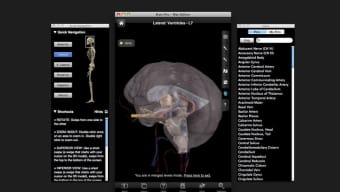
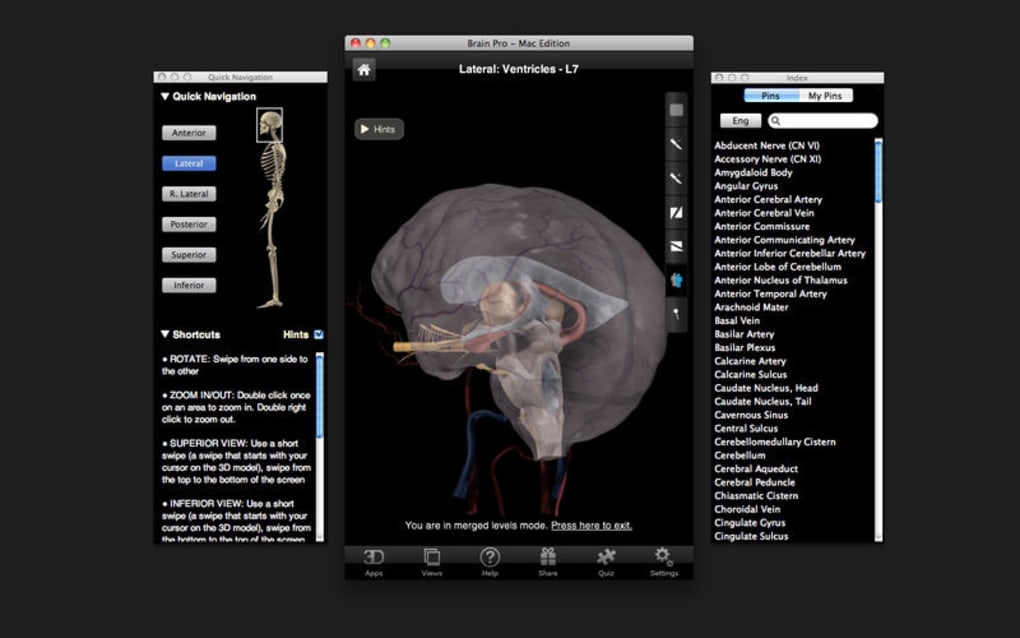
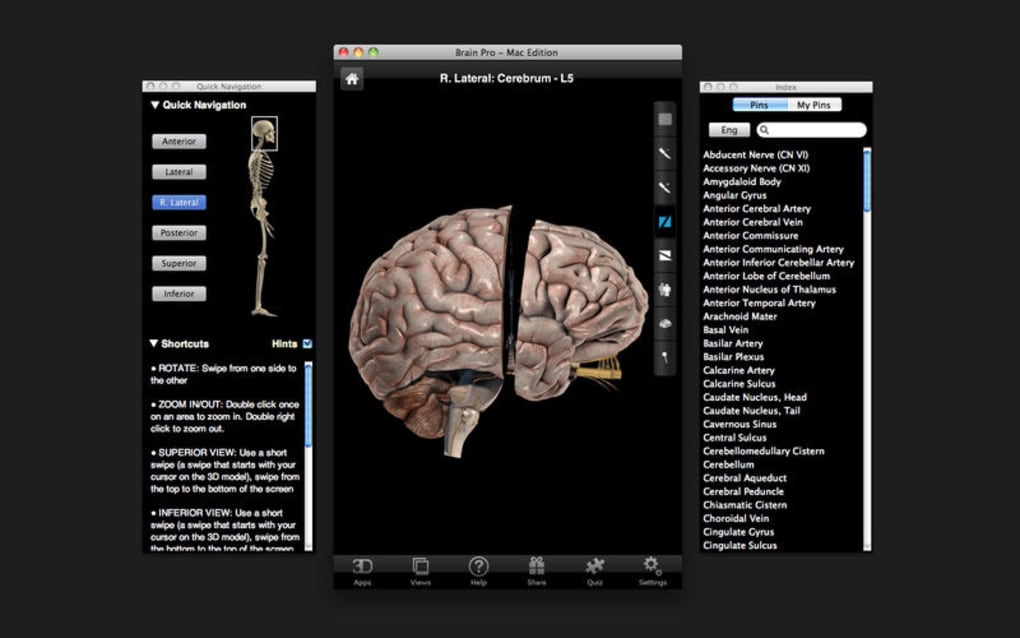
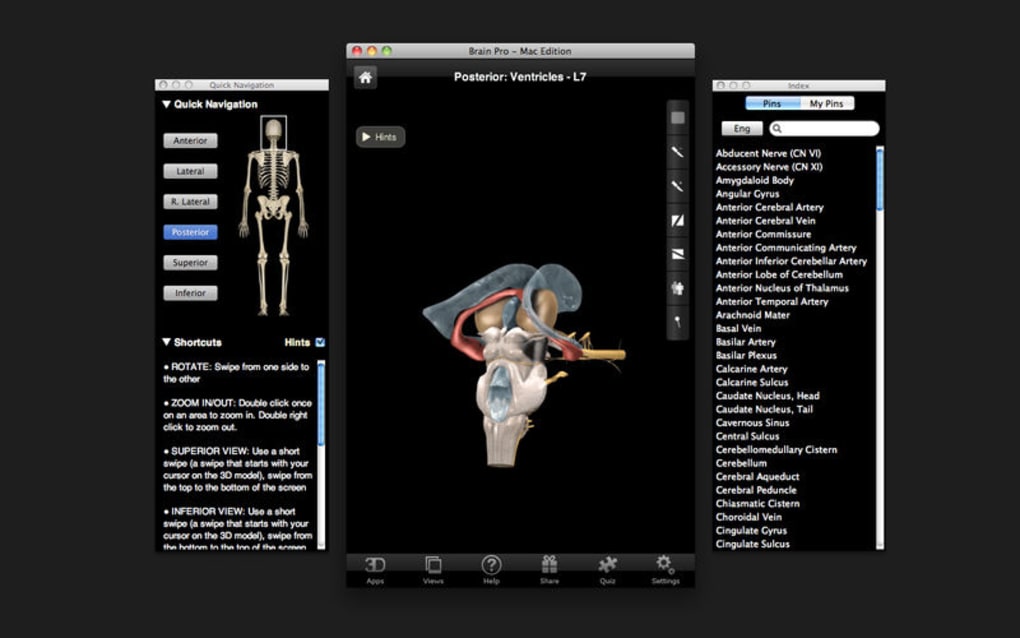
Brain Pro is a cutting‑edge study resource designed for students, educators, and medical professionals who need an immersive way to explore human neuroanatomy. Unlike static textbook diagrams, Brain Pro offers a fully interactive 3D model of the brain that can be rotated, zoomed, and dissected layer by layer. Each anatomical part is clearly labeled and accompanied by concise, scientifically accurate descriptions, making it easy to grasp complex structures such as the lobes, ventricles, cranial nerves, and vascular networks.
The app also lets users adjust the opacity of individual sections, revealing hidden layers without losing context—a feature particularly valuable when visualizing deep structures like the basal ganglia or thalamus. Moreover, Brain Pro supports custom labeling, allowing educators to annotate the model with course‑specific notes or students to add personal mnemonics. Whether you are preparing for an anatomy exam, teaching a neurobiology class, or simply satisfying a curiosity about the brain, Brain Pro delivers a secure, high‑resolution experience that updates regularly to incorporate the latest scientific findings.
Key Features of Brain Pro
- Full 3D Rotation & Zoom: Spin the brain on any axis and zoom in to see microscopic detail.
- Sectioning & Opacity Controls: Slice the model in any plane and adjust transparency to compare overlapping structures.
- Comprehensive Labeling: Every major brain region, vessel, and nerve is labeled with a pop‑up description.
- Custom Annotation Tool: Add your own labels, color‑code sections, and save personalized notes.
- High‑Resolution Textures: Realistic surface rendering based on MRI data for authentic visual fidelity.
- Regular Content Updates: Free updates ensure the anatomy data stays current with the latest research.
- Cross‑Platform Sync: Bookmark favorite views and sync them across Windows, macOS, Android, and iOS devices.
- Educational Resources: Integrated quizzes and flashcards to test knowledge after each exploration session.
- Secure Offline Mode: Download the full model once and use it without an internet connection, preserving data privacy.
Installation, Usage Instructions, and Compatibility
Step‑by‑Step Installation
Windows & macOS: Visit the official Brain Pro website and click the “Download for Windows” or “Download for macOS” button. The installer is a small .exe or .dmg file (approximately 250 MB). Run the installer, follow the on‑screen prompts, and accept the standard license agreement. The installer will automatically place a shortcut on your desktop and register the app in the start menu or Launchpad.
Android & iOS: Open Google Play Store or Apple App Store, search for “Brain Pro”, and tap “Install”. The mobile version automatically downloads the latest data package, which may take a few minutes on slower connections.
First‑Time Launch & Basic Navigation
Upon opening Brain Pro, you are greeted by a welcome tutorial that explains the main controls: swipe gestures for rotation, pinch‑to‑zoom, and a toolbar that houses the sectioning and opacity sliders. The tutorial also demonstrates how to enable custom labels by tapping the “+” icon on the toolbar. After the brief walkthrough, the app saves your preferences, so you won’t need to repeat the tutorial on subsequent launches.
System Requirements
Windows: Windows 10 (64‑bit) or later, 4 GB RAM minimum, DirectX 11 compatible graphics card.
macOS: macOS 11 (Big Sur) or later, 4 GB RAM, Metal‑compatible GPU.
Android: Android 8.0 (Oreo) or newer, 2 GB RAM, OpenGL ES 3.0 support.
iOS: iOS 13 or later, iPhone 7/SE or newer, A9 chip or later for smooth rendering.
The app is optimized to run on low‑power devices, but for the best experience—especially when using high opacity levels and custom annotations— a device with at least 4 GB of RAM and a modern GPU is recommended. Brain Pro also supports external keyboards on tablets, enabling shortcuts for power users.
Pros, Cons, Frequently Asked Questions, and Final Verdict
Pros & Cons
- Pros:
- Highly interactive 3D model that enhances spatial understanding.
- Opacity and sectioning tools provide unrivaled flexibility.
- Custom labeling makes the app adaptable to any curriculum.
- Regular free updates keep content scientifically accurate.
- Offline mode ensures secure study without internet dependency.
- Cross‑platform syncing for seamless transition between devices.
- Cons:
- Initial download size (~250 MB) may be large for limited data plans.
- Advanced rendering can be demanding on very old hardware.
- Limited built‑in assessment tools; users may need external quiz apps.
- Custom label export is only available in the paid “Pro” tier.
Frequently Asked Questions
Can I use Brain Pro for free?
Yes, Brain Pro offers a fully functional free version that includes the core 3D model, sectioning tools, and basic labeling. A premium “Pro” subscription unlocks advanced features such as custom label export, additional quiz packs, and priority support.
Is the anatomical data medically verified?
All anatomical structures are based on peer‑reviewed MRI datasets and have been verified by a board‑certified neurologist. Updates are released quarterly to incorporate the latest research.
How do I share a custom annotated view with classmates?
Brain Pro includes a “Share” button that generates a unique URL linking directly to your annotated view. Recipients can open the link on any supported device and see the exact opacity, sectioning, and custom labels you created.
Will my data be safe when I use the offline mode?
Yes. All downloaded assets are stored locally and encrypted on the device. No personal data is transmitted unless you choose to sync or share a view.
Can I integrate Brain Pro with learning management systems (LMS)?
Brain Pro offers an LTI (Learning Tools Interoperability) connector for popular LMS platforms such as Canvas, Moodle, and Blackboard, allowing instructors to embed the 3D brain directly into course modules.
Conclusion & Call to Action
In a field where visualizing three‑dimensional anatomy is crucial, Brain Pro stands out as a robust, secure, and educator‑friendly tool. Its blend of high‑quality 3D rendering, flexible opacity controls, and custom labeling creates a learning environment that surpasses traditional textbooks. While the free version already delivers tremendous value, the optional Pro subscription can further enhance classroom interaction and personal study workflows. If you’re looking for a reliable, regularly updated brain atlas that works offline and syncs across devices, download Brain Pro today and experience neuroanatomy like never before.







